Robot Mower Setup Day: What the First Hour Really Looks Like
An honest walkthrough of unboxing a wire-free mower for the first time — what's easy, what's fiddly, what's not in the manual.
Most manufacturers make a robot mower setup look like a thirty-second montage in a commercial: a happy homeowner effortlessly drops a sleek machine onto a lush lawn, taps a phone screen once, and retreats to a hammock with a cold drink. If you’re preparing for your robot mower setup first time, I have some news: that montage is a lie.
The short answer is that the "first hour" is less about mowing and more about logistics. Even with the new wave of wire-free, GPS-guided mowers, you aren’t just pressing "Go." You’re scout, technician, and sometimes, a frustrated IT professional. If you go in with the right expectations, you can have the machine cutting grass by the end of the second hour, but that first sixty minutes is where the real work happens.
Choosing the Throne: The Base Station Dilemma
The very first thing you’ll face is finding a permanent home for the charging station. This is more complicated than it looks. You need three things to align: a flat piece of ground, access to an outdoor power outlet, and—most importantly—a clear view of the sky.
For wire-free models like the Segway Navimow or the Husqvarna Automower (the EPOS versions), the base station and its accompanying GNSS antenna need a "clear line of sight" to satellites. If you tuck the base under a heavy tree canopy or right against a tall brick wall, the mower will struggle to find its home. I’ve seen people spend forty minutes just moving the base three feet to the left because the signal was bouncing off a metal gutter.
Pro Tip: Don’t screw the base station into the dirt with those plastic stakes until you are 100% sure the mower can dock and charge successfully. Test it first, stake it later.
The Firmware Update Marathon
Once the base is powered up and the mower is docked, you’ll likely encounter the least exciting part of the process: the mandatory firmware update. Modern mowers from brands like Mammotion (the LUBA series) or Ecovacs are essentially computers on wheels. By the time the box reaches your doorstep, the software is usually out of date.
Expect to spend 15 to 20 minutes just watching a progress bar on your smartphone. This is the stage where most people get "connection anxiety." You’ll need to make sure your home Wi-Fi reaches the lawn, or that your phone's Bluetooth stays within range. If the update fails halfway through, you’re looking at a restart. My advice? Do this part while you’re still inside the house or standing right over the machine. Don’t wander off to start a different yard chore yet.
Mapping: The Remote Control Phase
For anyone doing a robot mower setup first time with a wire-free unit, this is the part that actually feels like a hobby. Instead of burying miles of green wire, you’re going to "drive" the mower like a remote-controlled car.
Manufacturers like Segway and Anthbot use a joystick interface on your phone. You’ll walk behind the mower as it traces the perimeter of your yard. It feels like a video game until you realize that your precision matters. If you drive the mower too close to a rose bush during mapping, it will eat those roses every single week for the rest of the summer.
The biggest "fiddly" factor here is handling corners. GPS mowers don't always turn on a dime, so you’ll find yourself backing up and re-tracing lines to make sure the virtual map is clean. If you have a complex yard with "no-go zones" (like a trampoline or a fire pit), add another 20 minutes to your clock just for those obstacles.
Reality Check: The Things Not in the Manual
The manual will tell you how to click the parts together, but it rarely mentions the "real world" obstacles that plague a robot mower setup first time.
- The Grass Height Problem: If your lawn is currently five inches tall because you’ve been waiting for the robot to arrive, the robot will fail. Most robot mowers—even high-end ones like the EcoFlow Blade—are "maintenance" tools, not "reclamation" tools. You need to mow your lawn one last time with a traditional gas or electric mower before letting the robot take over.
- The RTK Antenna Placement: For mowers using RTK-GPS (like the Mammotion LUBA 2), the antenna often needs to be high up. You might realize 45 minutes in that the included "lawn spike" for the antenna isn't tall enough to see over your roof. Many owners end up making a mid-setup trip to the hardware store for a mounting bracket to attach the antenna to a fence post or the side of the house.
- Sensors vs. Reality: If you bought a mower with AI vision (like the Ecovacs Goat or the Eufy models), it might "see" a tall weed as a solid object and refuse to mow near it. You’ll spend the tail end of your first hour pulling weeds that the robot is afraid of.
Troubleshooting the "First Dock"
The final hurdle of the first hour is the maiden voyage back to the charger. This is the moment of truth. You’ve mapped the yard, updated the software, and now you’re telling the mower to go home.
Almost every first-timer experiences a "missed dock." The mower might approach the station, wiggle back and forth, and then throw an error code because it’s a half-inch off-center. This usually happens because the ground under the base isn't perfectly level. You’ll spend the last ten minutes of your hour shoving a shim (or a piece of cardboard) under the base station to get the alignment just right.
Bottom Line
Your first hour with a robot mower is about patience, not performance. Don't expect a perfectly manicured lawn by minute sixty; expect to spend that time navigating app menus, positioning antennas, and precision-driving a glorified RC car around your flower beds. Once that foundation is set, the "lazy Sunday" lifestyle finally kicks in.
Buying Guide
Read now →Mowers mentioned
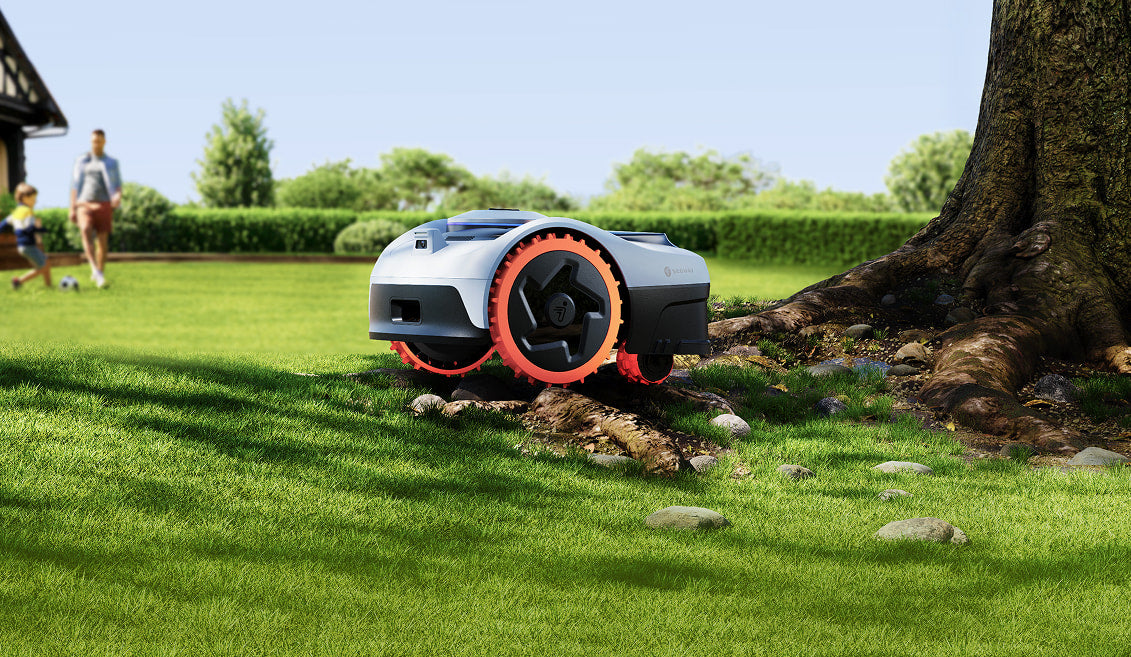
Navimow i108E
- Coverage
- ~0.2 acre (≈8,700 sq ft)
- Max slope
- ~24° (≈45%)
- AWD
- No
If your lawn is up to about an eighth of an acre and you want the simplest wire-free experience on the market, the i108E is hard to beat.
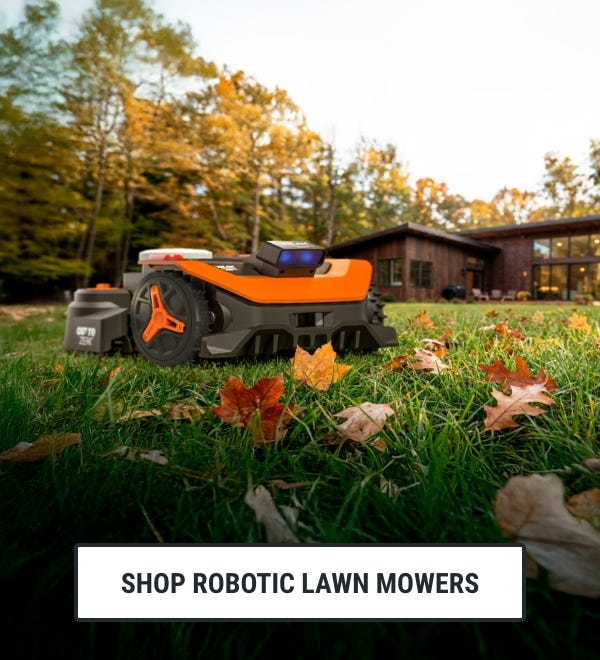
WORX Landroid Vision L
- Coverage
- Up to ~1 acre (≈43,500 sq ft)
- Max slope
- ~20° (≈35%)
- AWD
- No
The Vision L makes a one-acre wire-free yard achievable for the price of a mid-tier RTK mower — and you don't need to mount an antenna.
Related guides
- How to Measure Your Yard for a Robot Mower (Size & Slope)
A step-by-step you can do in under 15 minutes with a phone, a free satellite map, and one wooden board.
- See our full ranking of the best robot mowers →